Free
Camera picker, white reference, color log with photos, multi-pick, palette generator, curated gallery, mixing request cards, color-vision view and backup. Supported by banner ads.
Camera color picker for makers
Point at a wall, fabric, yarn or print. ColorSnapr reads the color under the crosshair, saves it with the photo and the exact spot you picked, and turns it into palettes, contrast checks, mixing request cards and code.
Free to download · banner ads · optional Pro removes ads
Live reading · approx.
#E2725B
Terracotta
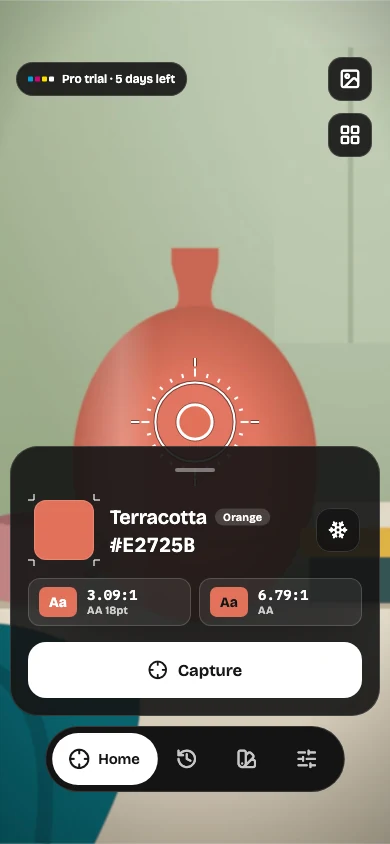
ColorSnapr is a camera color picker app for iPhone, iPad and Android. It reads the color of a real object through the camera, can correct the light's tint with a white-paper reference, saves every color with its photo and pick point, and turns one capture into palettes, WCAG contrast checks, paint-shop mixing request cards, gradients and code.
One capture → everywhere
Every color you pick keeps its source photo, so you can come back to it, check it, and send it wherever the work happens next.
Read the color under the reticle live, from a single pixel or a 5×5 or 15×15 area for textured surfaces.
Tap to freeze. The color is saved with the photo and a marker on the exact spot you picked.
From the next-action rail: start a palette, copy HEX, CSS or OKLCH, make a mixing request card or check contrast.
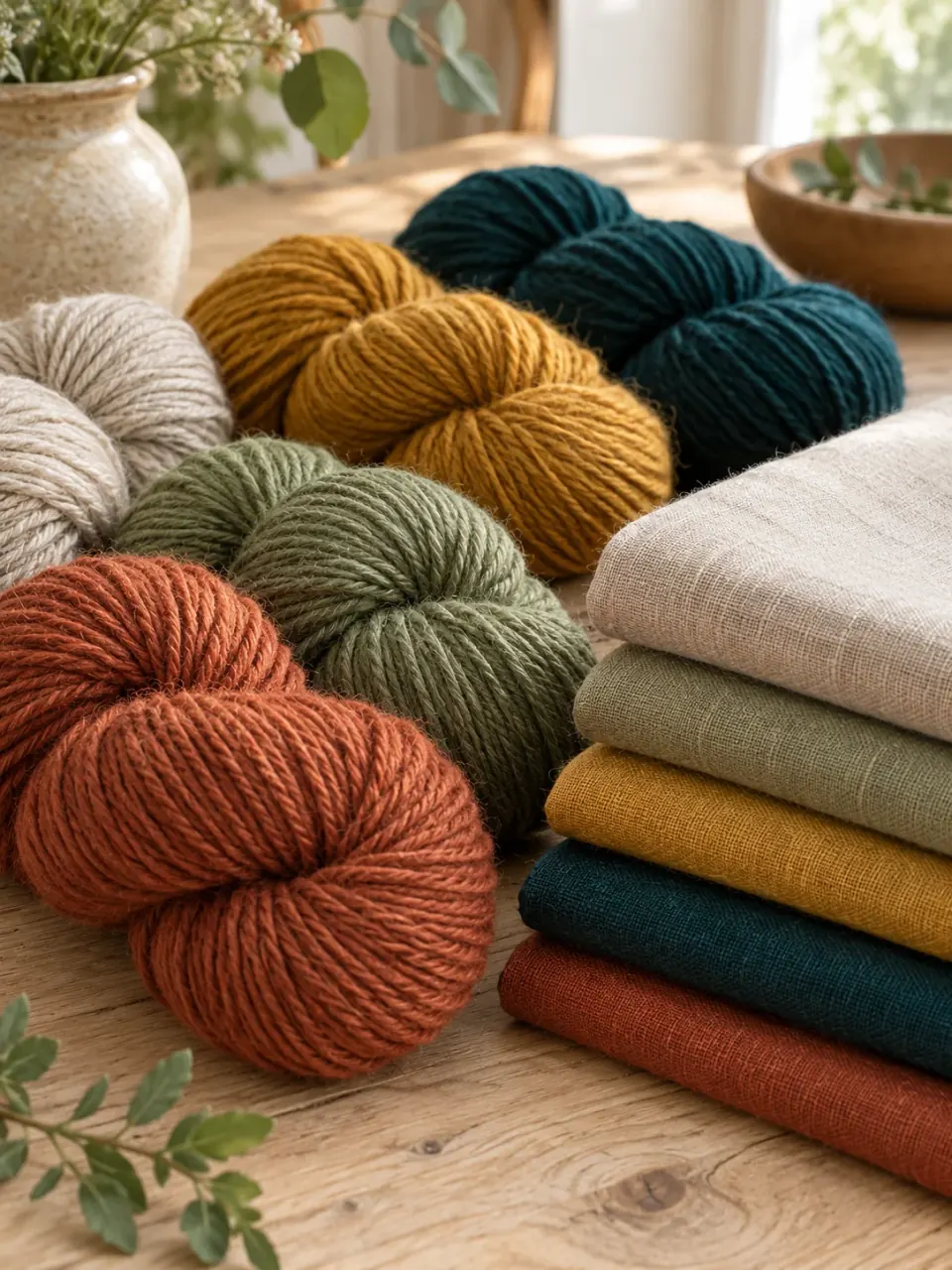
Tap or drag on the photo
Try it here
This runs in your browser on a sample photo. The app does the same live through your camera — and can correct the light with a white reference.
#9A4A2F
Averaged over a 5×5 area of the image. How it looks on screen depends on your display.
Features
Free covers the camera picker, color log, palette generator, gallery and color-vision tools. Pro adds the lab, matching, export and more — with no ads.
Each color keeps its photo and a marker on the pixel you picked. Search by name or HEX.
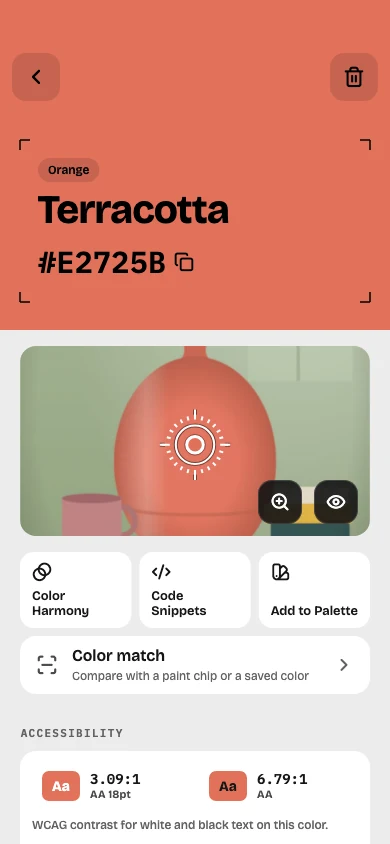
Start from a color you snapped, lock what you like and shuffle the rest — with undo.
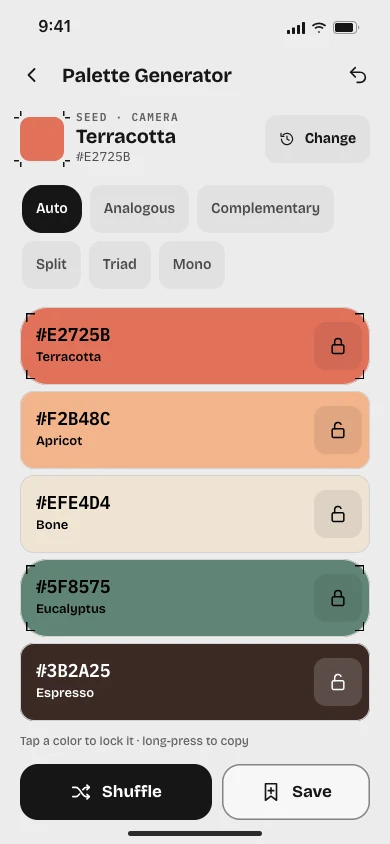
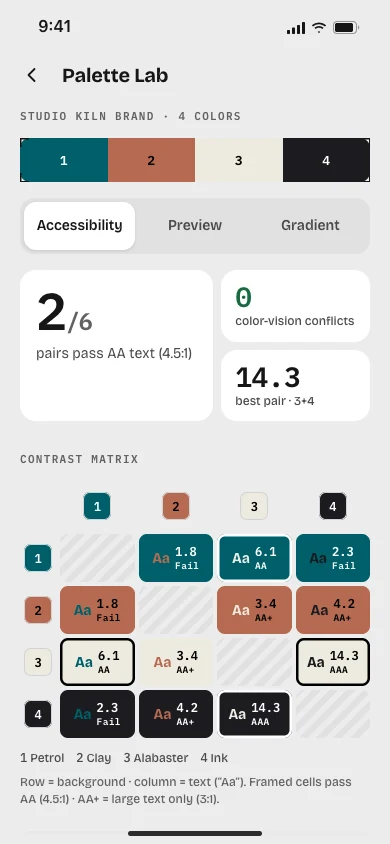
WCAG contrast matrix, color-vision conflicts, UI preview and Oklab gradients.
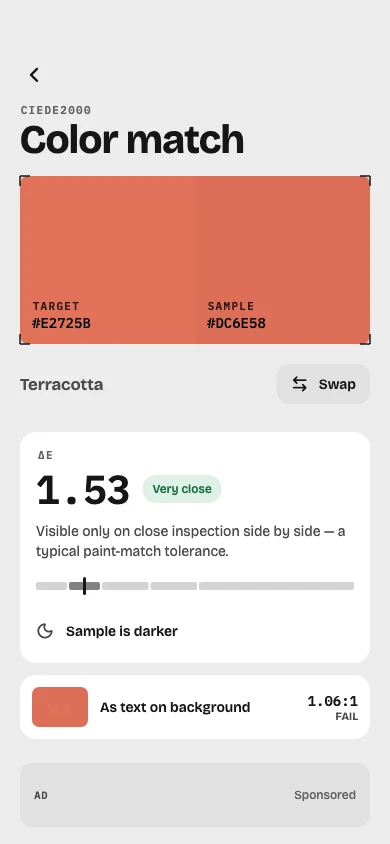
A ΔE (CIEDE2000) score shows how close a paint chip, yarn or fabric is to your saved sample.
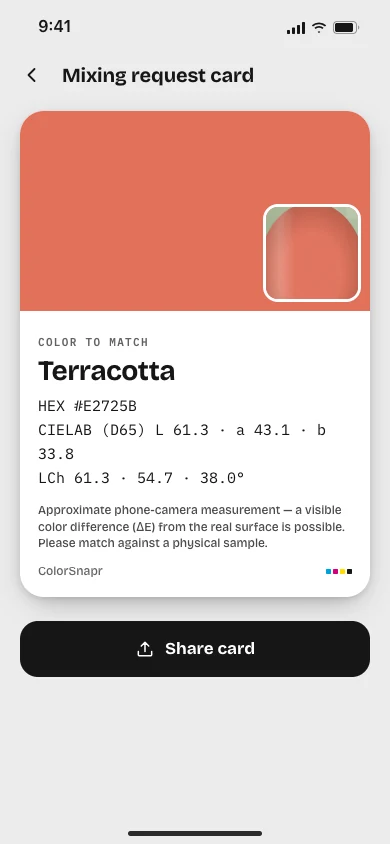
Share HEX, CIELAB and LCh with a photo crop to ask a paint or print shop for a mix.
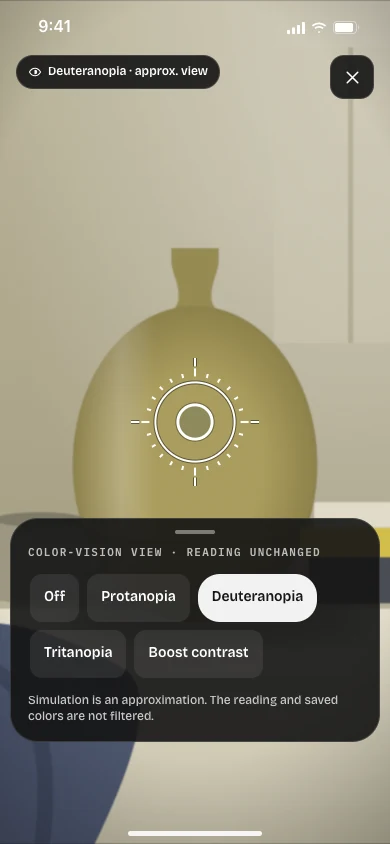
See the camera as with protanopia, deuteranopia or tritanopia, or boost red–green contrast.
Who it's for

Capture a wall, tile or sofa in the store, keep the photo with it, and preview a color on your own wall.

Save fabric and garment colors, build outfit palettes, and use the personal color guide as a reference.
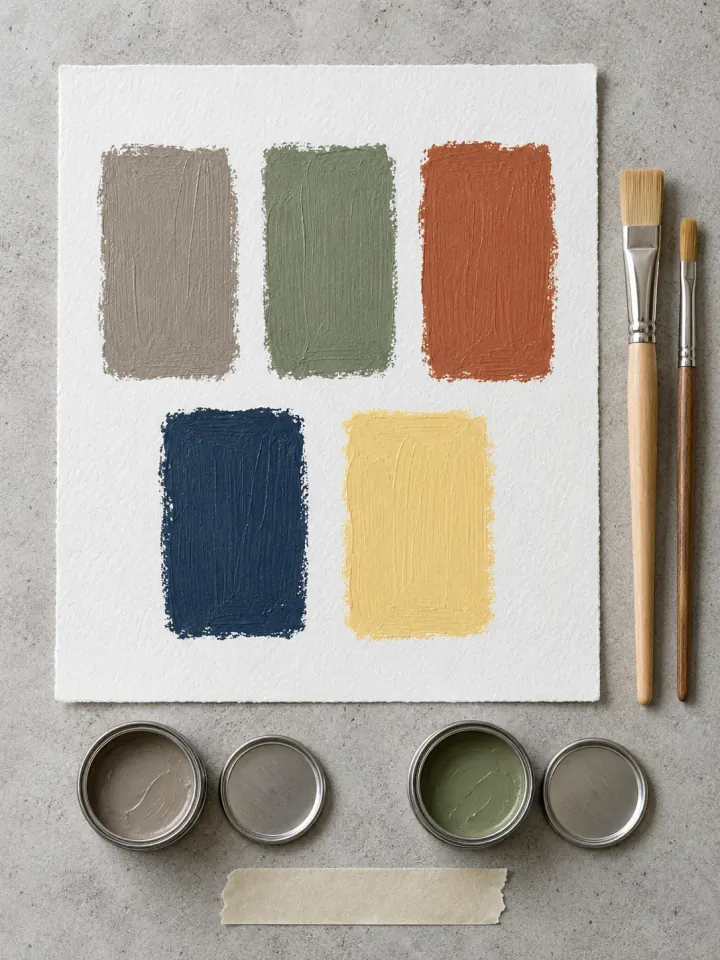
Compare yarn, thread or paint against a saved sample and bring a mixing request card to the shop.
Turn a moodboard or a real object into a palette, then check every pair against WCAG contrast.
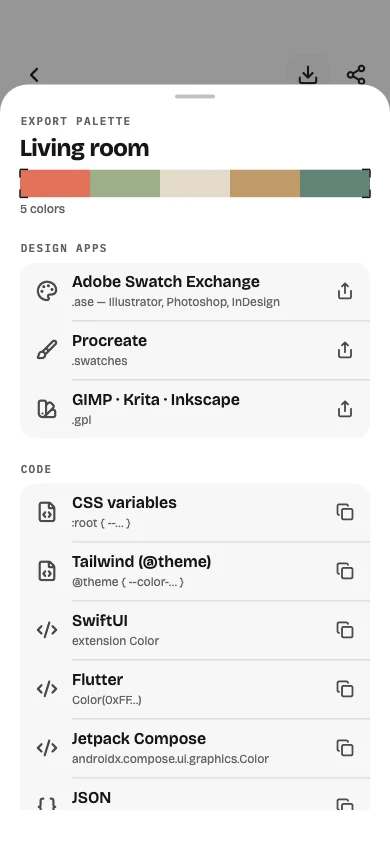
Copy colors as CSS oklch(), Tailwind, SwiftUI, UIKit or Compose without converting by hand.
Hear color names aloud, boost red–green contrast, and check which palette colors are hard to tell apart.
Honest measurement
Light, camera and screen all change how a color reads. ColorSnapr gives you tools to read it well and tells you when to double-check.
Pricing
Camera picker, white reference, color log with photos, multi-pick, palette generator, curated gallery, mixing request cards, color-vision view and backup. Supported by banner ads.
Unlimited palettes, Palette Lab, color match, photo gradients, palette extraction and export, color harmony, code snippets, wall painting and the personal color guide — with no ads.
Monthly or yearly subscription, or a one-time lifetime purchase.
Prices vary by country and are shown in the app before you buy. Subscriptions renew automatically until cancelled in your App Store or Google Play settings.
FAQ
Yes. Downloading and the core tools are free, supported by banner ads: the camera picker, white reference, color log with photos, multi-pick, palette generator, curated gallery, mixing request cards and the color-vision view. ColorSnapr Pro is optional — a monthly or yearly subscription or a one-time lifetime purchase — and adds the Palette Lab, color match, export, code snippets and more with no ads.
They are good approximations, not lab measurements. A phone camera, the light in the room and your screen all affect the result. Setting a white reference with plain paper or a gray card corrects the light's tint, and a confidence hint warns you when light or movement makes a reading less reliable.
No app can promise that from a camera. ColorSnapr gives you HEX, CIELAB and LCh values and a mixing request card with a photo crop to show a paint or print shop. With Pro, a ΔE score tells you how close a paint chip is to your saved sample. Always check a physical sample before you buy.
Colors are shown as HEX, RGB, HSL, HSV, HWB, CMYK, CIELAB, OKLCH, color names and tone scales. With Pro you can export palettes as ASE, ACO, Procreate swatches and GIMP/Krita GPL files, and copy code for CSS (including oklch()), Tailwind, SwiftUI, UIKit and Jetpack Compose.
No. Camera frames are read on your device, and the colors, photos and palettes you save stay on your device. There is no account. The app uses third-party services for ads, analytics and crash reports as described in the privacy policy.
Yes, for free. The color-vision view shows the camera as with protanopia, deuteranopia or tritanopia, or boosts red–green contrast — an approximate simulation that doesn't change the reading. With VoiceOver or TalkBack on, the camera reads color names aloud. The Palette Lab (Pro) flags palette colors that are hard to tell apart.
A Pro workspace for checking a palette before you use it: a WCAG contrast matrix for every pair, color-vision conflicts, a UI preview with your colors, and smooth Oklab gradients.
Yes. Back up to a single file and restore it on any device, including between iPhone and Android. Restoring adds to what you have and never deletes it.
On iPhone and iPad, there are home and lock screen widgets and Siri Shortcuts. On Android, there's a quick settings tile and app icon shortcuts to open the camera picker quickly.
ColorSnapr runs on iPhone, iPad and Android phones and tablets, in 25 languages.
Free on the App Store and Google Play. No account needed.
Scan to download