Feature guide
Palette Export: ASE, ACO, Procreate and Code
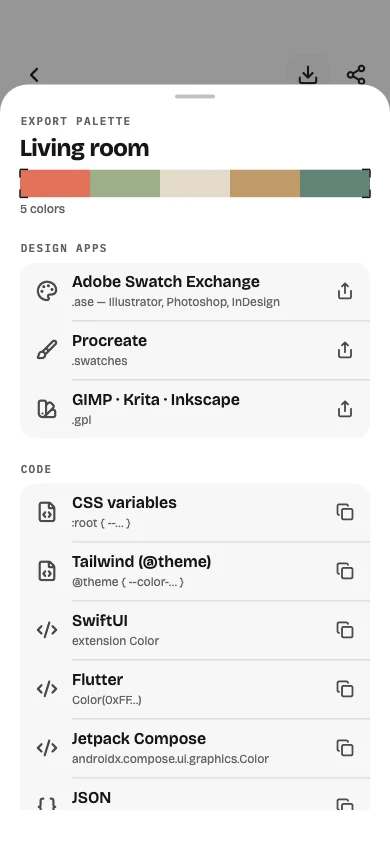
A palette is only useful where you work. ColorSnapr exports to the swatch formats design apps open and copies colors as ready-to-paste code for web and mobile.
Pro Included in ColorSnapr Pro Updated:
Key facts
- Swatch files: ASE, ACO, Procreate .swatches and GIMP/Krita/Inkscape .gpl.
- Code: CSS variables (including oklch()), Tailwind @theme, SwiftUI, UIKit, Flutter, Jetpack Compose and JSON.
- Values: HEX, RGB, HSL, HSV, HWB, CMYK, CIELAB, OKLCH, names and tone scales.
- Share files through the system share sheet to any app or folder.
- Copying a single HEX, CSS or OKLCH value is free from the next-action rail.
How it works
- 1 Open a palette and tap Export.
- 2 Choose a design-app format or a code format.
- 3 Share the file or paste the code where you need it.
Questions
Is export free?
Palette files and code snippets are part of ColorSnapr Pro; copying single values is free.
Does Procreate open the file?
Yes. The .swatches file imports as a Procreate palette.
Try it on your phone — ColorSnapr is free to download.